LoopCast › Guides › Yodeck and ScreenCloud alternatives
Free alternatives to Yodeck and ScreenCloud.
Cloud signage services are great at managing many screens from one dashboard, and they charge per screen. If you have one or a few screens, here’s what they cost and when a free option does the job.
Prices checked November 2026. They change; check each site before you decide.
What Yodeck and ScreenCloud cost
Yodeck charges per screen per month. Its pricing page lists a free plan for one screen, then Basic at $8, Premium at $12 and Enterprise at $16 per screen per month. Annual plans include a Yodeck player device for each screen. Yodeck says its players keep playing locally stored content for weeks if the internet goes down.
ScreenCloud lists Core from $20 and Pro from $30 per screen per month, billed annually, with Enterprise by quote. It offers a 14-day free trial; its pricing page doesn’t list a free plan.
Both are built for organizations managing screens across rooms or sites from a web dashboard, with apps, templates, user permissions and remote device management. If that’s you, they’re worth the money.
| Yodeck | ScreenCloud | LoopCast | |
|---|---|---|---|
| Price | Free for 1 screen; $8–$16 per screen/month after | From $20–$30 per screen/month, billed annually | Free during launch |
| Free option | One screen | 14-day trial | Free for any number of screens |
| Hardware | Player included on annual plans, or your own device | Supported players or your own device | Any Windows PC or Mac you already have |
| Managed from | Web dashboard | Web dashboard | The computer by the screen, or a synced folder |
| Internet | Needed to manage; plays cached content offline | Needed to manage | Not needed |
| Apps and integrations | Many | Many | Live web pages, phone uploads |
| Templates and design tools | Yes | Yes | No; bring your own slides |
| Best for | Small to large fleets | Corporate fleets and dashboards | One or a few screens, events |
A year of three screens
Say a small office, school or church has three screens. At list prices, Yodeck Basic is one free screen plus two at $8 a month, about $192 a year. ScreenCloud Core at $20 a screen is about $720 a year. LoopCast on three computers you already have costs nothing during our launch. That’s the honest trade: you give up the central dashboard, templates and app integrations.
Free alternatives
LoopCast
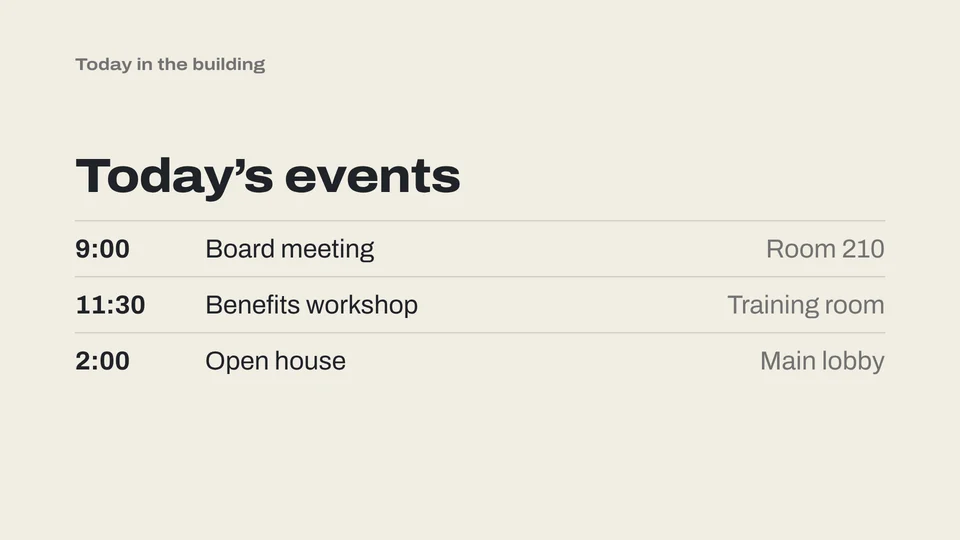
Our app. Point it at a folder of images, PDFs and videos and it loops them full screen on the TV, offline. It has playlists per folder, a schedule that switches playlists by time of day, starting by itself when the computer starts, a clock, a message bar, a countdown, QR codes and live web pages (in the desktop app). To update screens from elsewhere, make each screen’s folder a synced cloud folder.
Yodeck’s free screen
If you only have one screen and like the idea of a web dashboard, Yodeck’s free single-screen plan is a genuine option. You’ll need a device for the TV, since the free player comes with annual paid plans.
PowerPoint or the TV’s USB slideshow
For one deck that rarely changes, PowerPoint’s kiosk mode or a USB stick in the TV works at no cost, with fewer features.
When to pay for cloud signage
- You manage screens in different buildings or cities.
- Several people need logins with different permissions.
- You want built-in apps: weather, social feeds, dashboards, calendars.
- You need audit logs, single sign-on or a support contract.
When a free player is enough
- One to a handful of screens in one place.
- Your content is slides, posters, PDFs and videos you already make.
- You want it to keep working when the internet doesn’t.
- You’d rather not add a monthly bill for every TV.
Sources: Yodeck pricing, ScreenCloud pricing. Yodeck and ScreenCloud are trademarks of their owners. LoopCast is not affiliated with either.
Questions
Is there a free alternative to Yodeck?
Yes. LoopCast is free during our launch and loops images, PDFs and video on any number of screens from a Windows PC or Mac, offline. Yodeck itself is free for one screen.
How much does ScreenCloud cost?
As of November 2026, ScreenCloud lists Core from $20 and Pro from $30 per screen per month, billed annually, with a 14-day free trial.
How much does Yodeck cost?
As of November 2026, Yodeck lists a free plan for one screen, then $8, $12 or $16 per screen per month for Basic, Premium and Enterprise.
Can LoopCast manage screens in different buildings?
Not from a central dashboard. Each screen runs LoopCast on its own computer. You can update them remotely by making each screen’s folder a synced cloud folder.
Does LoopCast need a special player box?
No. It runs on a Windows 10 or 11 computer or a Mac with macOS 12 or later, connected to the TV.
Ready when the doors open.
Your computer will show a security warning the first time you open it. That’s expected. Here’s why, and what to click.